
Fast contracts have mistakes. Careful contracts take all day. An AI now does both.
A real estate team sends more than 100 contracts a week, and each took about 45 minutes. The mistakes were never just typos: a blank date, a second owner with no place to sign, a custom line that moved the closing. Now a form, an AI and a QA check get each one out in 5 minutes.
Based on a real system. Names, addresses and figures changed. A description of a workflow, not legal advice.
The business
Friday, 4:45 PM. The seller says yes. Your team sends the contract.
The price is right. The date is blank. The second owner has no place to sign.
Nobody sees it.
Two weeks later, the title company does.
This is for you if you send the same kinds of contracts again and again: purchase agreements, service agreements, leases, engagement letters, work orders. Anything built from a template, where the names, numbers and dates change but the words mostly do not. And either:
- you send them yourself, and they eat your evenings, or
- people on your team send them, and you are hoping nothing slipped.
The short version: every contract now starts as a form that refuses blanks and wrong formats. Custom requests go in as plain English and an AI marks its wording in pink. A QA AI checks every finished contract. Anything off waits for management. The rest goes out for e-signature in minutes.
Why it works: a contract is about 95% the same words every time. The danger lives in the other 5%: the names, the price, the dates and the custom line. So the system locks the 95% and puts the 5% in color.
The company is a real estate acquisitions company that buys houses off-market. Every deal is a contract. A few simple templates, one per type of deal, go out more than 100 times a week.
The problem
The templates were fine. Making each contract was the problem.
For every one, someone opened the right template, typed the names, the address, the price, the deposit and the dates, fixed the formatting, made any custom change the deal needed, re-read the whole thing and hoped. About 45 minutes each. At 100 a week, that is about 65 hours: more than one full-time job, spent retyping the same contract.
And the mistakes. A typo is the cheap one.
The expensive ones look fine:
- a blank date or a missing deposit,
- a price that is way off,
- a second owner with no place to sign,
- a custom line that quietly changes a key term, like the closing timeline,
- a name that does not match the record.
Nobody saw them until the other side did, and the deal sat on pause. When nobody caught one at all, the deal was in jeopardy later.
The custom lines were the real bottleneck
Some deals needed a small change: an extra section, a different term. Whoever made it had to word it, find the right spot and not break anything around it. Different people did it differently. The one who did it well became the line everyone waited in, and the day that person was out, the deals waited too.
What we built
Five steps: Fill. Ask. See. Check. Send.
One idea: nobody types into a blank document anymore.
1. Fill
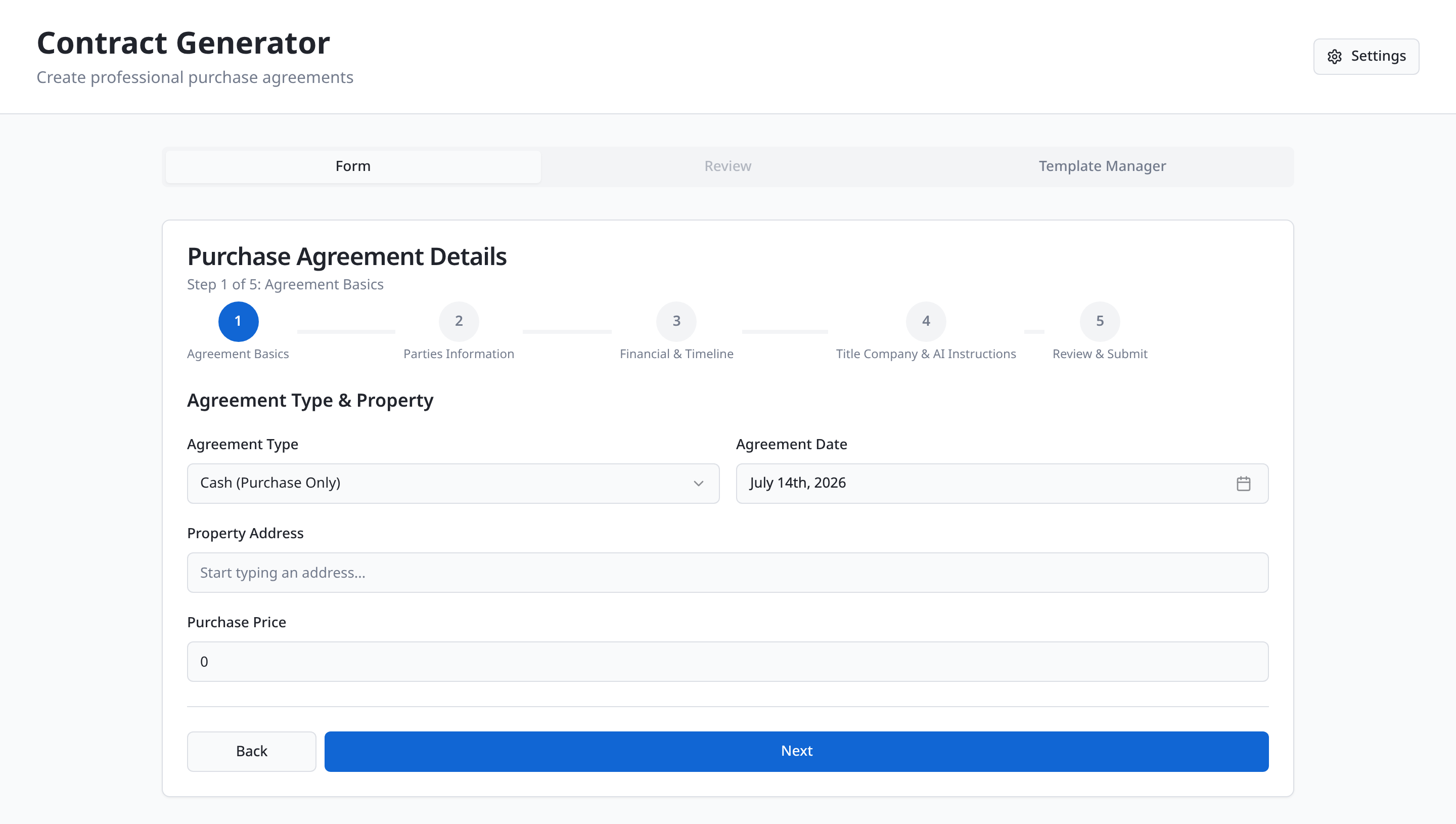
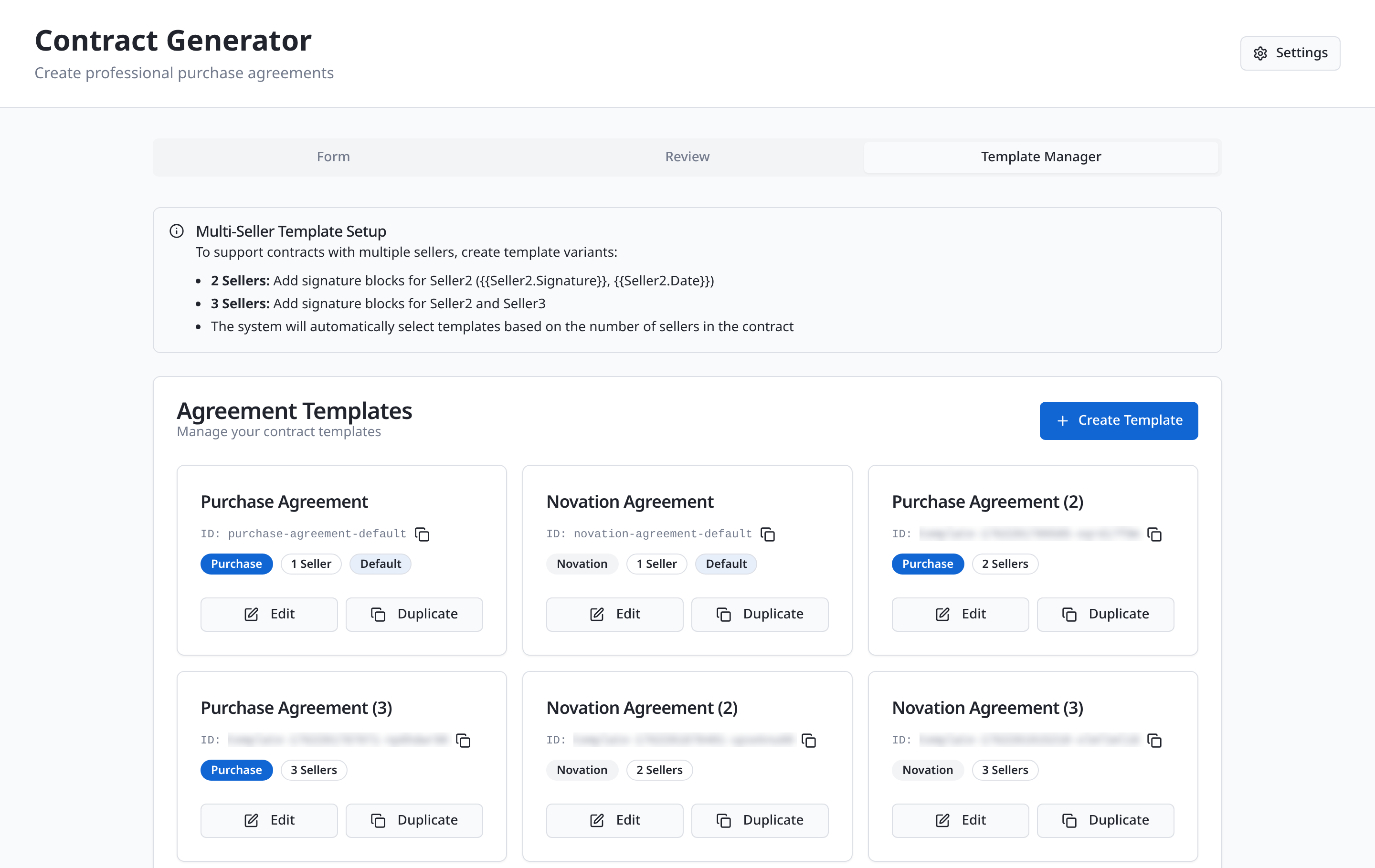
A form that refuses mistakes. Five short steps: the basics, the parties, the money and dates, the title company and special instructions, then a review. Every field knows what it expects. A price must be a number. An email must look like an email. A required field cannot stay empty. The wording of each template is approved ahead of time by the company and its attorney, so the form only fills in the blanks, and it picks the right template by itself, including versions for one, two or three sellers. No more missing signature lines.
2. Ask
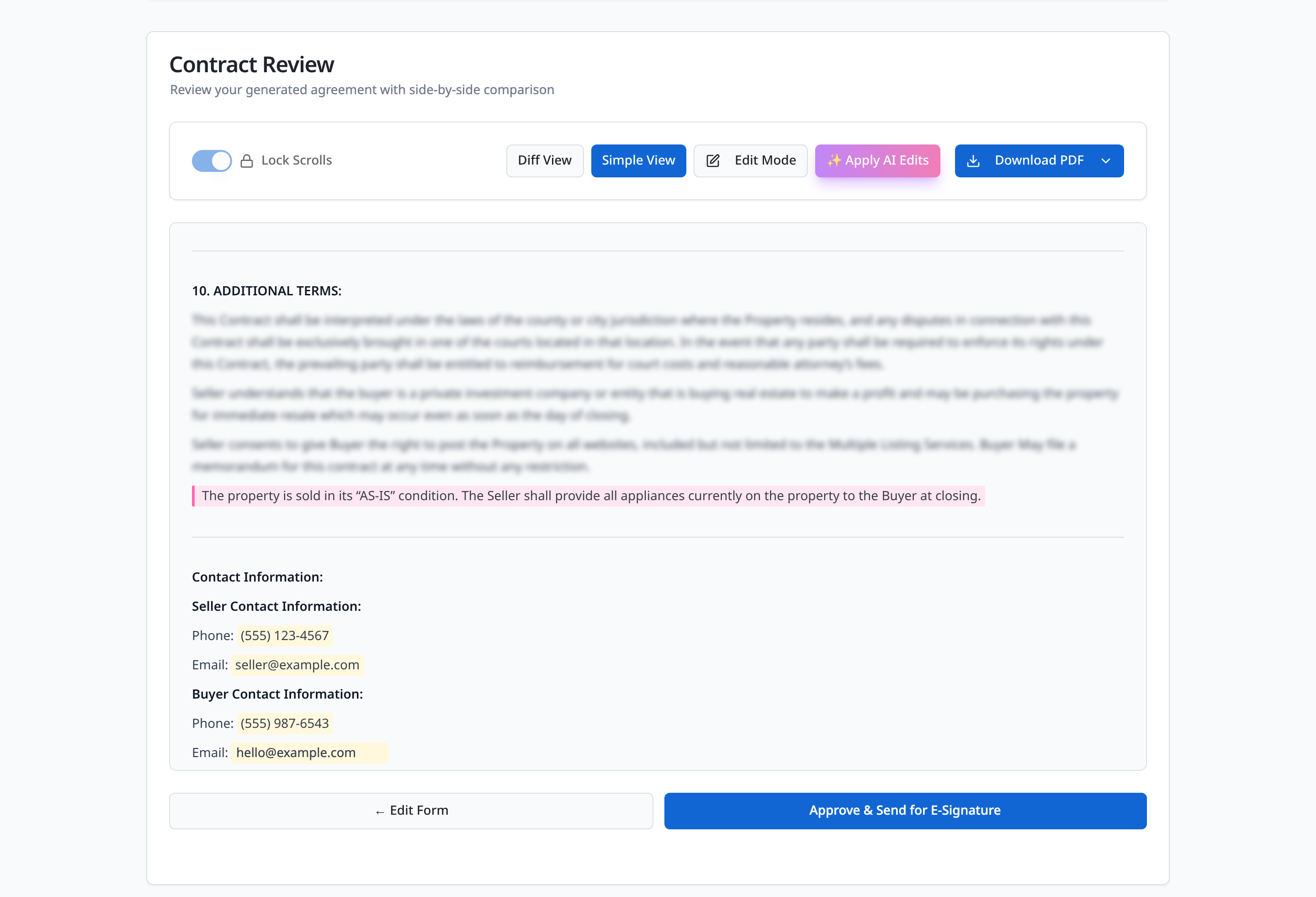
Need something extra? Type what you want, in plain English. An AI words it to match the template and drops it into the right section. It does not decide what a contract should say or whether a term is a good idea. It words what the person asked for.
3. See
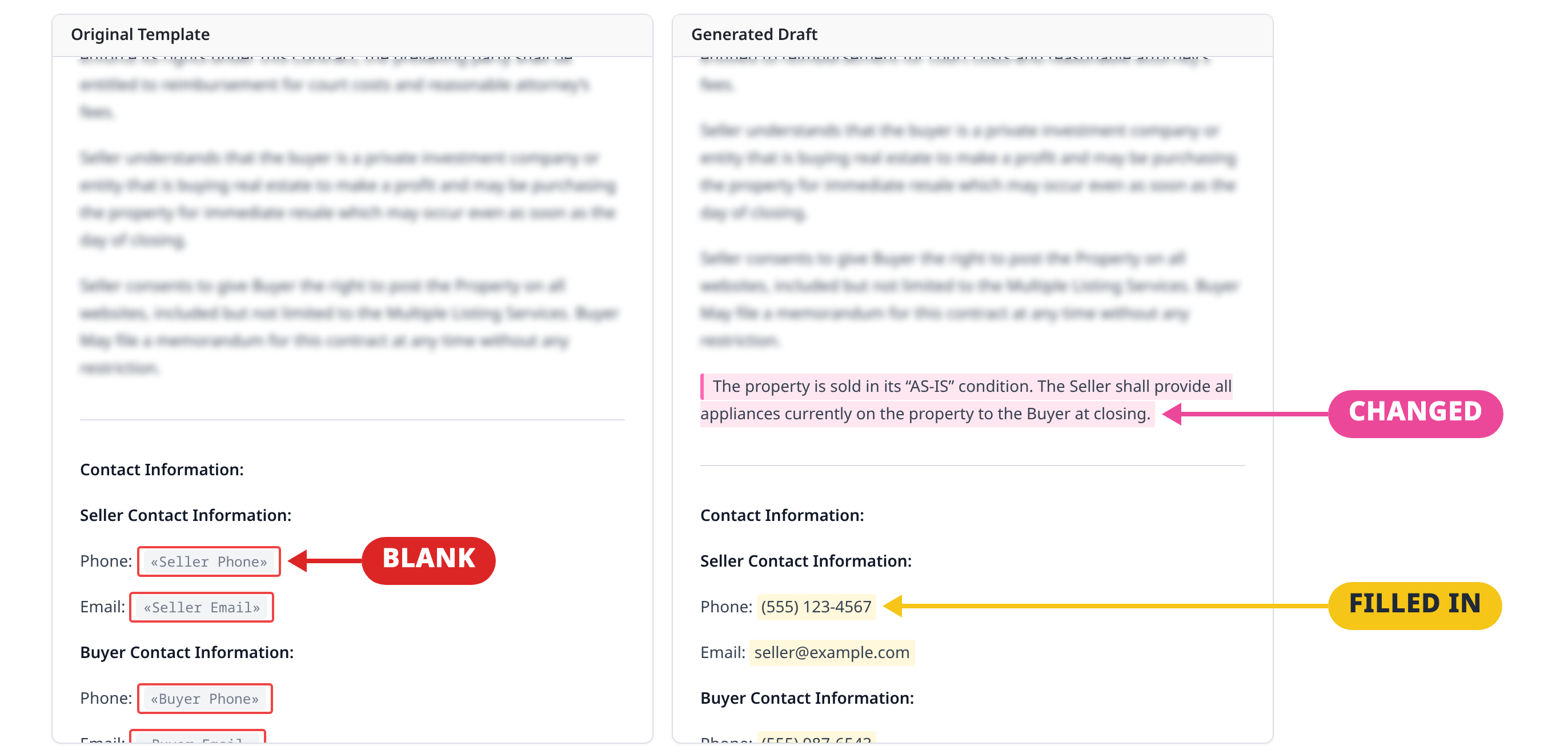
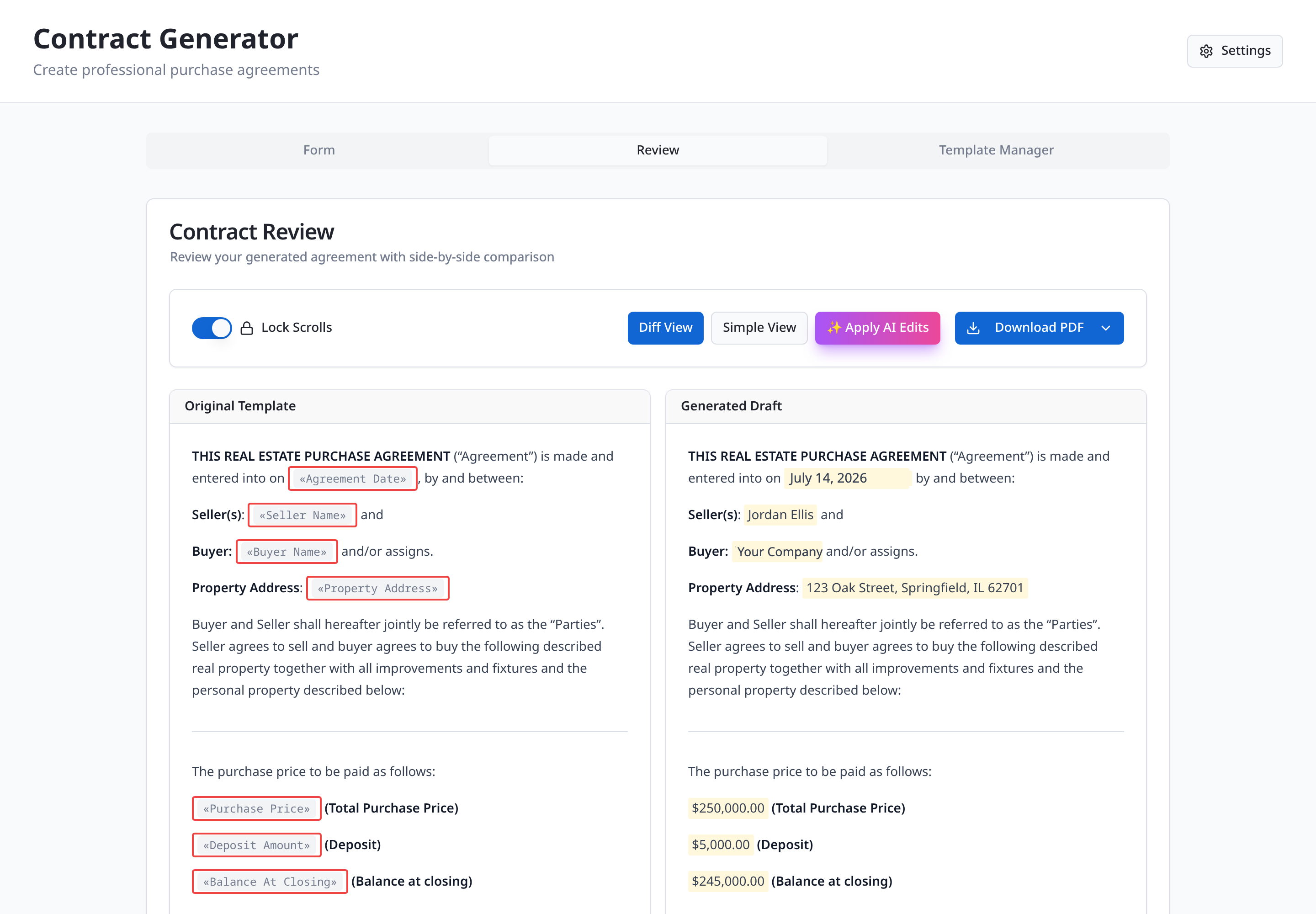
The approved template on the left, the finished draft on the right. Red is a blank. Yellow is filled in. Pink is changed or added. Nothing the AI touched is hidden: in seconds you see exactly how the draft differs from the approved version, and a change log lists every difference.
4. Check
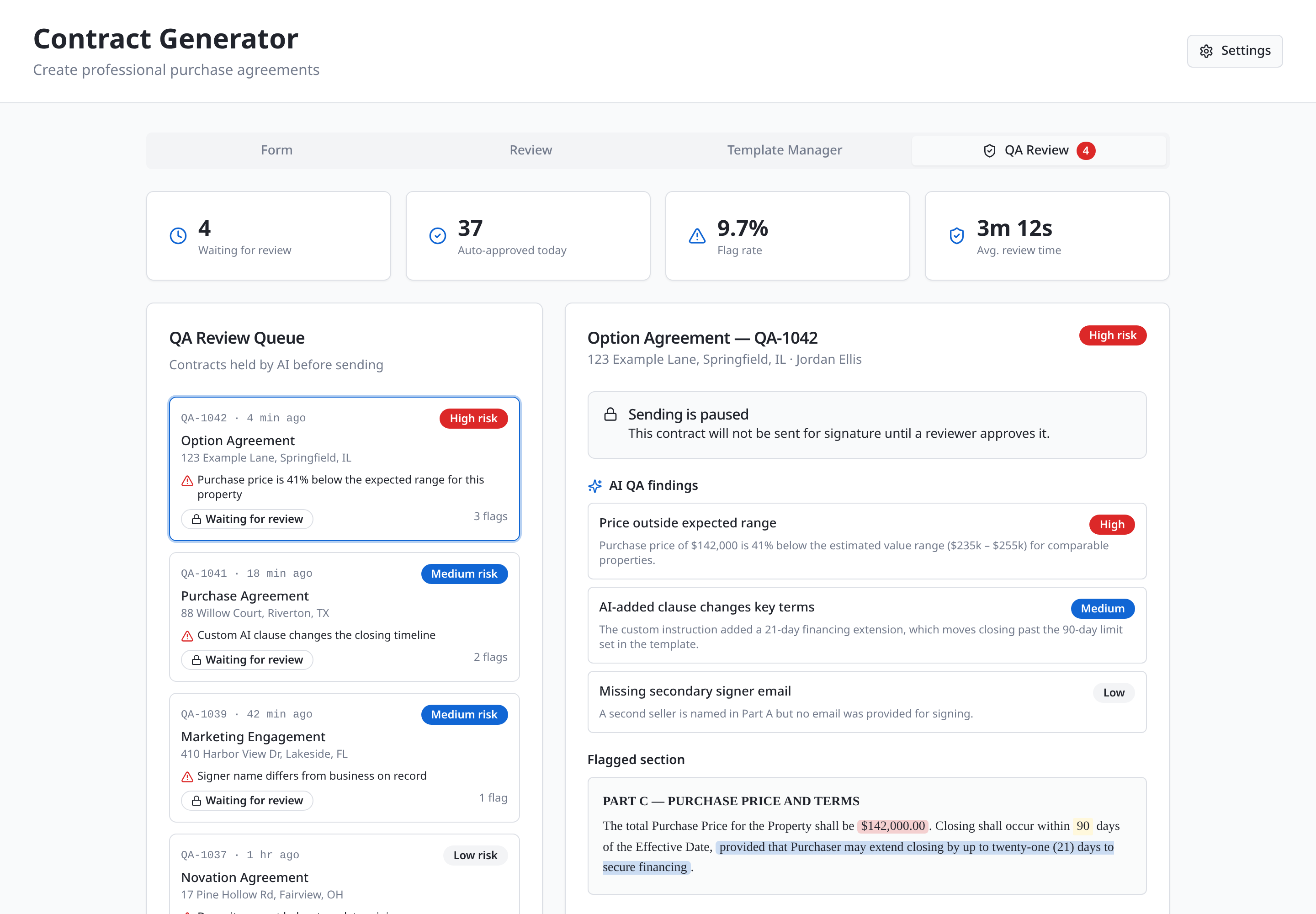
A second AI reads every finished contract against the form and the template. It checks the deal details, not the legal wording. Does the price fit the expected range? Does a custom line change a key term, like the closing timeline? Does a second seller have no email to sign with? Does a signer’s name differ from the record? None of those are typos, and every one can sink a deal.
A clean contract moves on. If something looks off, sending is blocked and a reviewer sees the findings and the flagged section, then approves, asks for changes or rejects. If the AI approves but is still concerned, it goes to management first.
5. Send
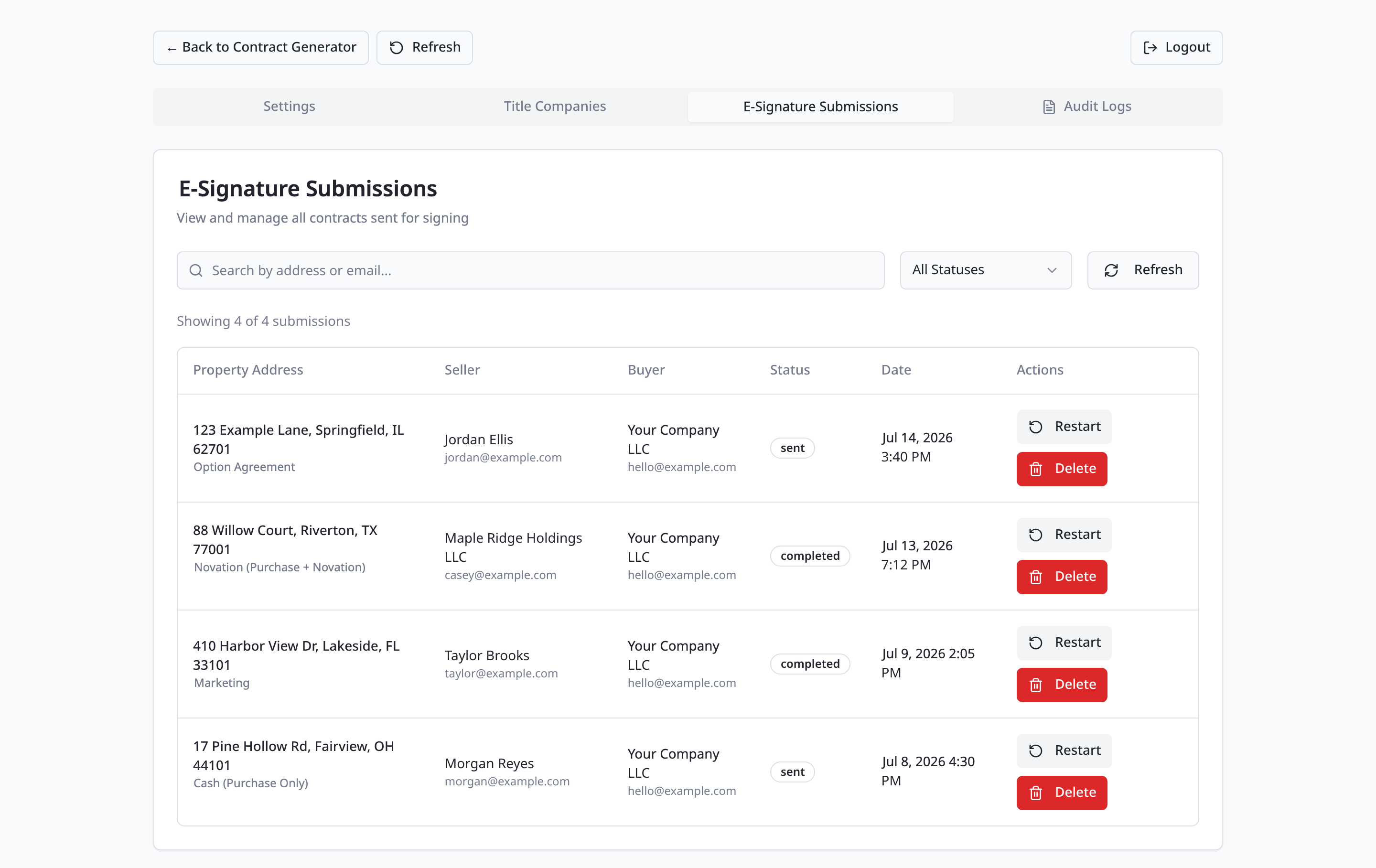
Once approved, the contract goes out for e-signature and is emailed to every party at once. Every contract is tracked from sent to completed.
The result
45 min to 5 min
per contract, 100+ contracts a week
| Before | After | |
|---|---|---|
| Work per contract | About 45 minutes | About 5 minutes |
| Wrong or missing details | About 1 contract in 8 | Blocked by the form or caught by the QA check before sending |
| A custom change | One person’s job, done differently each time | Typed in plain English, shown in pink next to the approved template |
| Checking | Someone re-reads all of it and hopes | A side-by-side view, and a QA AI on every contract. About 1 in 10 goes to management first |
| Out for signature | Hours, often the next day | Minutes after approval |
At 100 contracts a week, that is about 65 hours handed back. Same templates. Same team. The typing, the proofreading and the chasing moved to the system.
What it changes for you
If you send them yourself: you fill in a form, check the colors and approve. Five minutes instead of 45, and no more contract sessions at 10 PM.
If your team sends them: you stop hoping. Every change from the approved template is visible in seconds, the QA AI reads every contract, and the held ones come to management before they go out. You look at about 1 in 10, not 10 in 10, and the person who used to be the bottleneck for custom wording no longer is.
What stays human: the approved templates, the final yes, every contract the QA AI holds, and anything legal. That is still a job for your attorney.
Steal this
Want to build this yourself? Here’s how it was built, in plain words. It works for any business that sends contracts from templates.
| The piece | What it does |
|---|---|
| Claude Code | Builds it and tunes it |
| An e-signature service (DocuSeal here; DocuSign or any service with an API works) | Sends each contract to every party at once and tracks sent and completed |
| An AI model | Words the custom lines and runs the QA check |
| A form, a database and a simple web app | The five steps, the template library, the review queue, the finished PDF and the submission list |
Have your attorney approve every template, and every type of custom clause, before an AI works with them.
Prefer not to build it? Have us do it for you.
Is your business in the same spot?
In 30 minutes we'll look at your version of this problem and how an AI system could handle it for you.
Book an AI opportunity audit, $249