
“Call for a free quote” may be the most expensive sentence on your website. A gutter company swapped it: 30% more leads, same clicks.
For service businesses that quote by phone: gutter cleaning, house cleaning, pressure washing, lawn care, pest control, moving. One gutter company asks quick questions about the house, then for a name and number, then shows the price. Same clicks, 30% more leads, about 23% cheaper per lead on the same ad spend.
Based on a real project. Names and business details changed; screens show sample data and example prices. The percentages are real, rounded. Results vary; this describes one company's page, not legal advice.
The business
It is 8:52 PM and it is raining. One gutter is pouring over a porch.
A homeowner searches “gutter cleaning near me.” Four sites say “Call for a free quote.” The offices closed at 5.
The fifth asks quick questions about the house, then for a name and number.
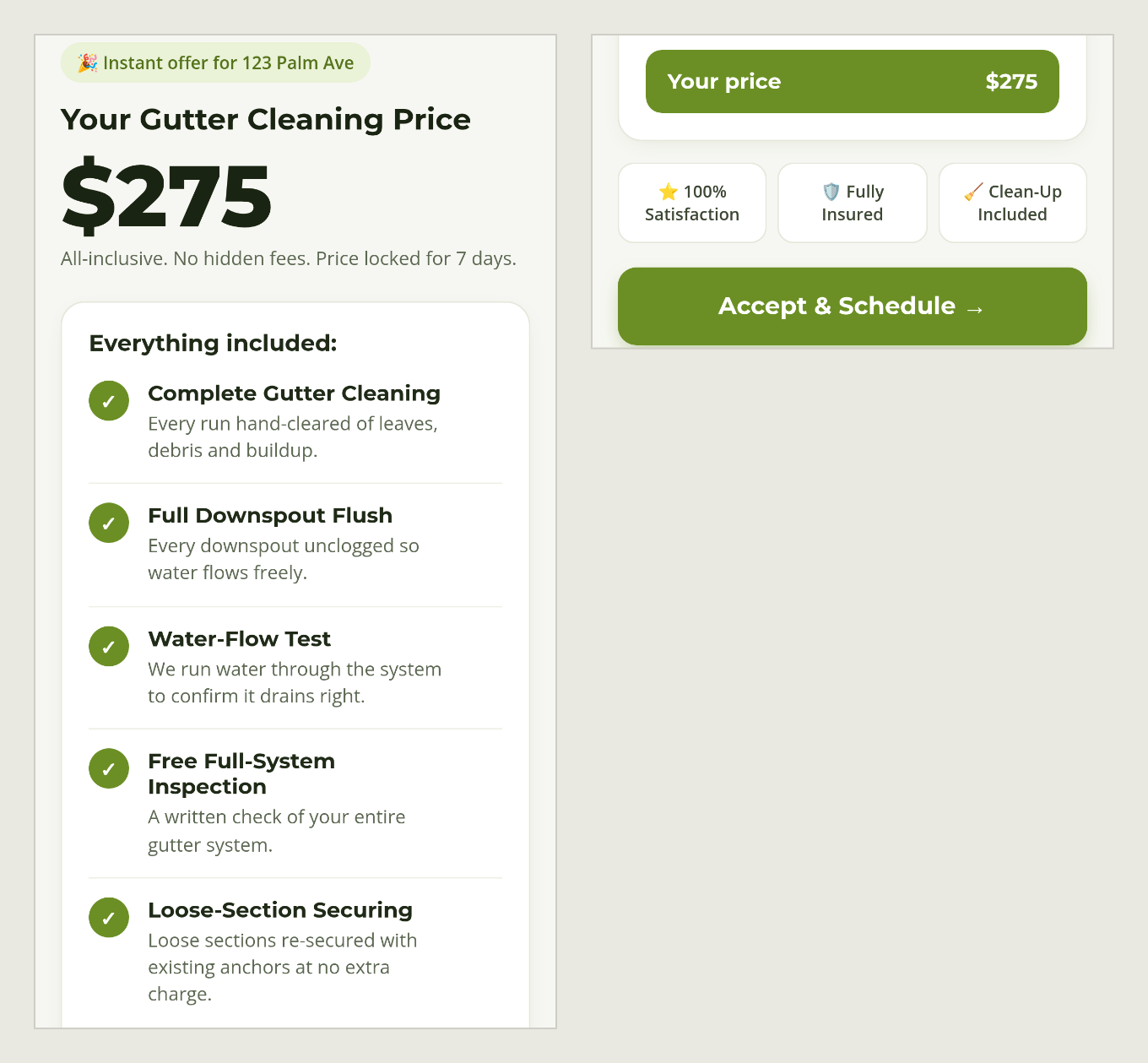
Then it shows a price. Example price: $275.
Nobody picked up a phone. Nobody was in the office.
An illustrative scene, not a log of one customer.
The short version. A gutter cleaning company that used to send visitors to a phone number or a contact form added a price page, built with AI. It asks quick questions about the house, then for a name and number, then shows one price with what is included. Same clicks: 30% more leads, and about 23% less per lead on the same ad spend. When a home is too unusual to price, the page says so and a person takes over.
This is for you if
- Your website says “call for a free quote,” “request a quote” or “we’ll get back to you.”
- You pay for ads, and your ad and a competitor’s ad say the same thing.
- A lot of your phone time goes to people who only want to know “how much?”
- Your price comes from a few facts about the job: size, access, condition, how long since last time.
The business
A gutter cleaning company. Before, a visitor who wanted a price had to call or fill in a contact form. A gutter price depends on the house, so a price list on the page was not simple.
The problem
Three leaks, all from one sentence
- The visitors who do not ask. Many people will not phone or fill in a form just to learn a price. They go to a site that tells them. You paid for that click.
- An ad with nothing new to say. If your ad and a competitor’s ad both say “free quote,” there is nothing to choose between.
- The phone as a price line. A lot of calls are only “how much?”, and someone has to answer each one.
You may not be able to publish a price list: a gutter on a one-story ranch and a gutter on a three-story house are not the same job. So the page says “call us.” That is the leak.
What we built
What was built: a price page that asks, then answers
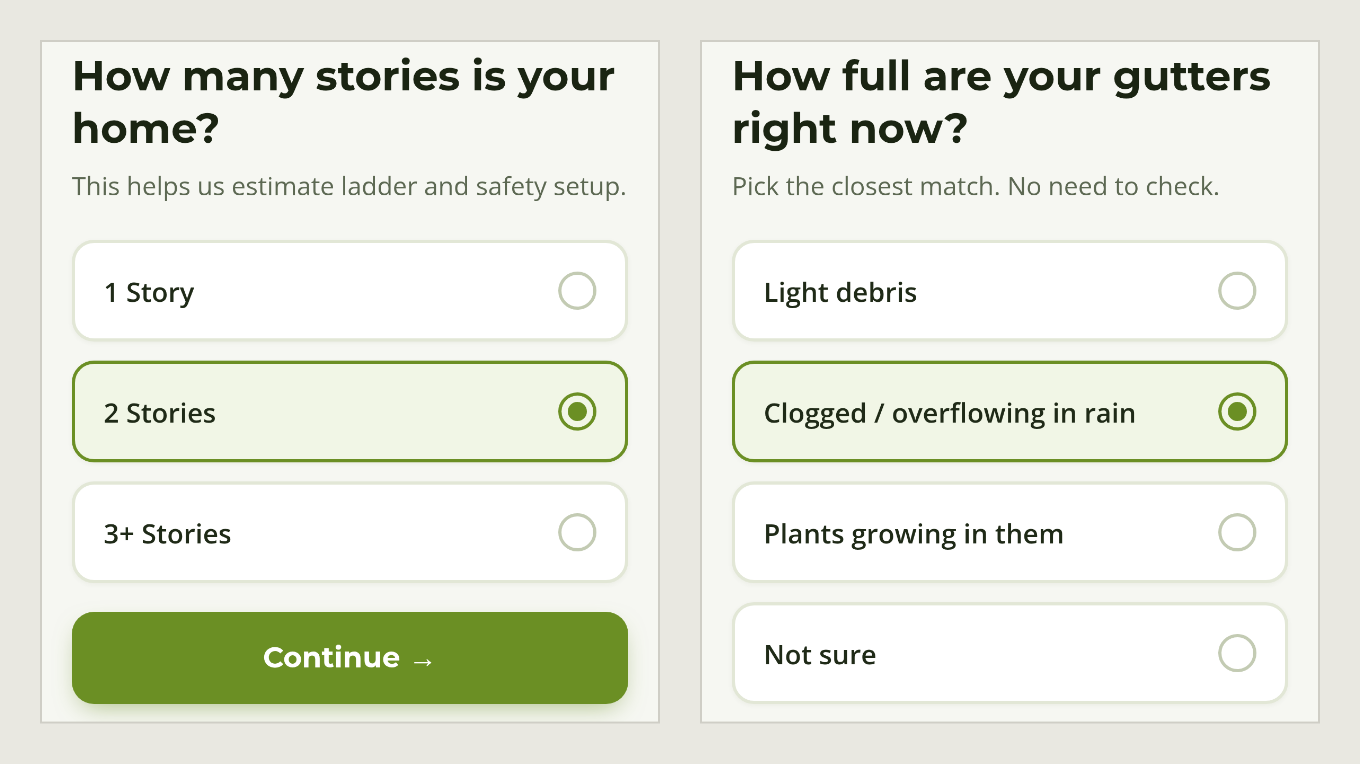
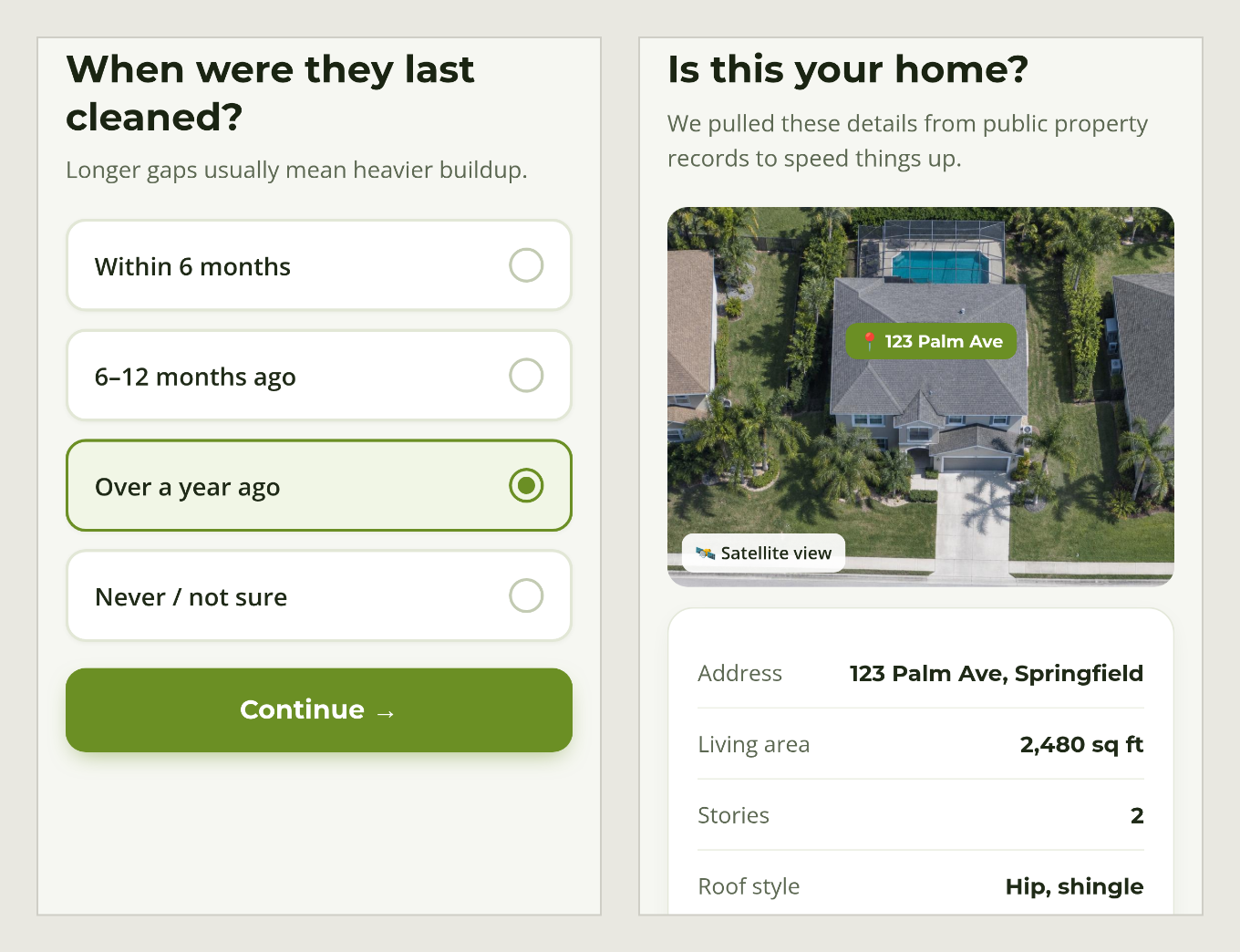
A preview of what the visitor sees. It asks about the home, one question per screen: how many stories, how full the gutters are, when they were last cleaned, and more.
Then it shows the house from above and fills in the details it pulled from public property records.
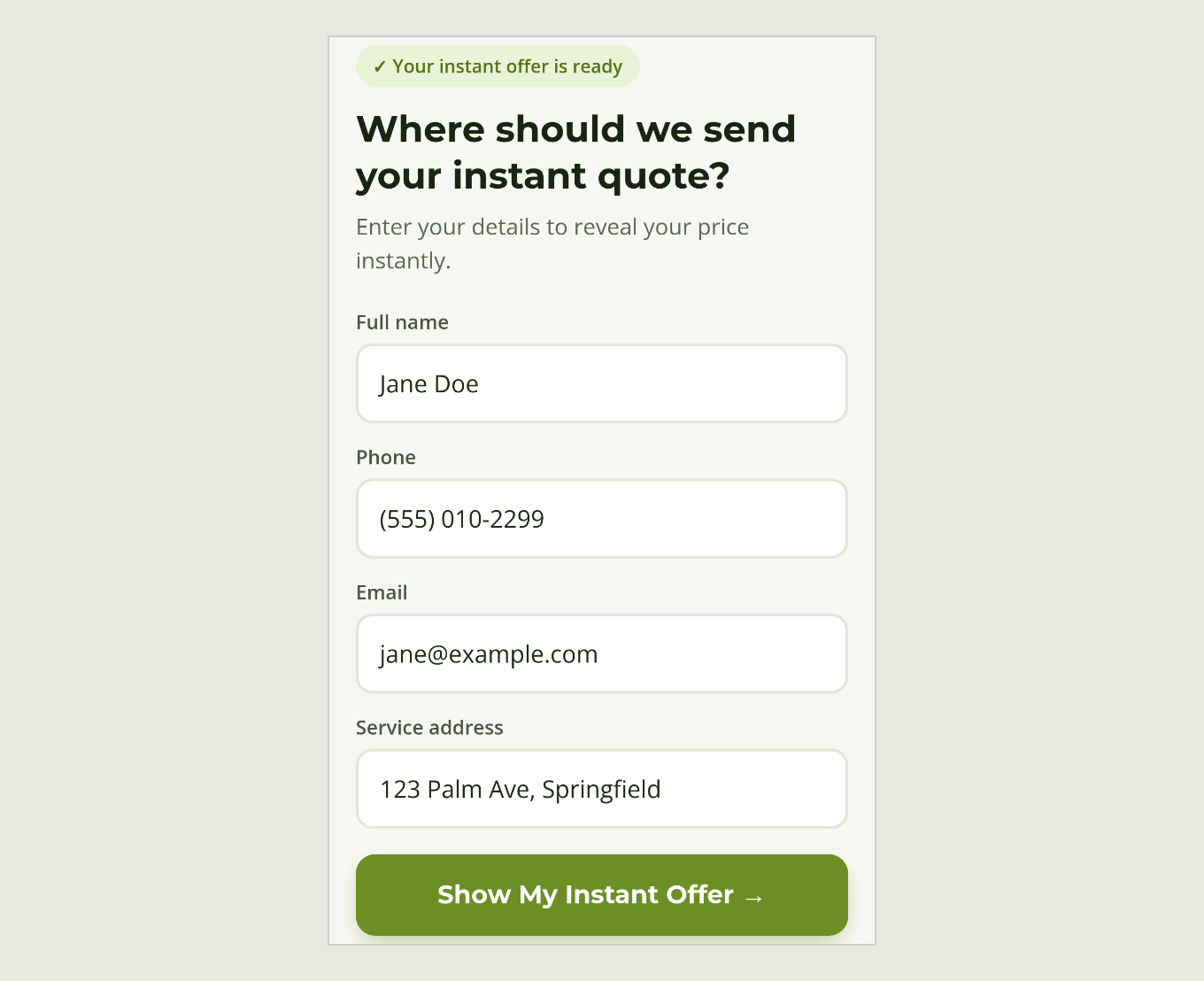
Then it asks where to send the quote.
A few of the things behind those screens:
- Simple math the owner already uses, written down once.
- AI helps with the math. It learns from the company’s past jobs, what was quoted and what each job really took, and steers the price when the answers are unclear.
- Public property data. The page fills in details about the home for the customer, so they confirm instead of typing.
Then the price, and what it includes
One number, with what is included listed under it: the cleaning, a downspout flush, a water-flow test, a written inspection and loose sections re-secured. The price is locked for 7 days. That list does the job of the phone pitch for visitors, even at 9 PM.
“Isn’t that just a contact form in disguise?”
Partly, yes. The price sits behind a name, a phone number and an email, and the page says so: “Enter your details to reveal your price instantly.” The difference is the trade. A “request a quote” form asks the visitor to wait for a call back. This one gives them the number on the screen, without one. Some people will not make that trade. The extra leads are the ones who did.
The screen that says “Oops”
Some homes are too unusual to price from a few facts. That comes after the visitor has already given their name and number, so the page does not dead-end. It says: “Oops, sorry, we couldn’t give you an instant quote — but the good news is…” and, below it, “A real gutter specialist reviews your home and gives you a much more accurate estimate.” One main button: Get My Personal Estimate. There is a phone number under it too: “Prefer to talk? Call…”
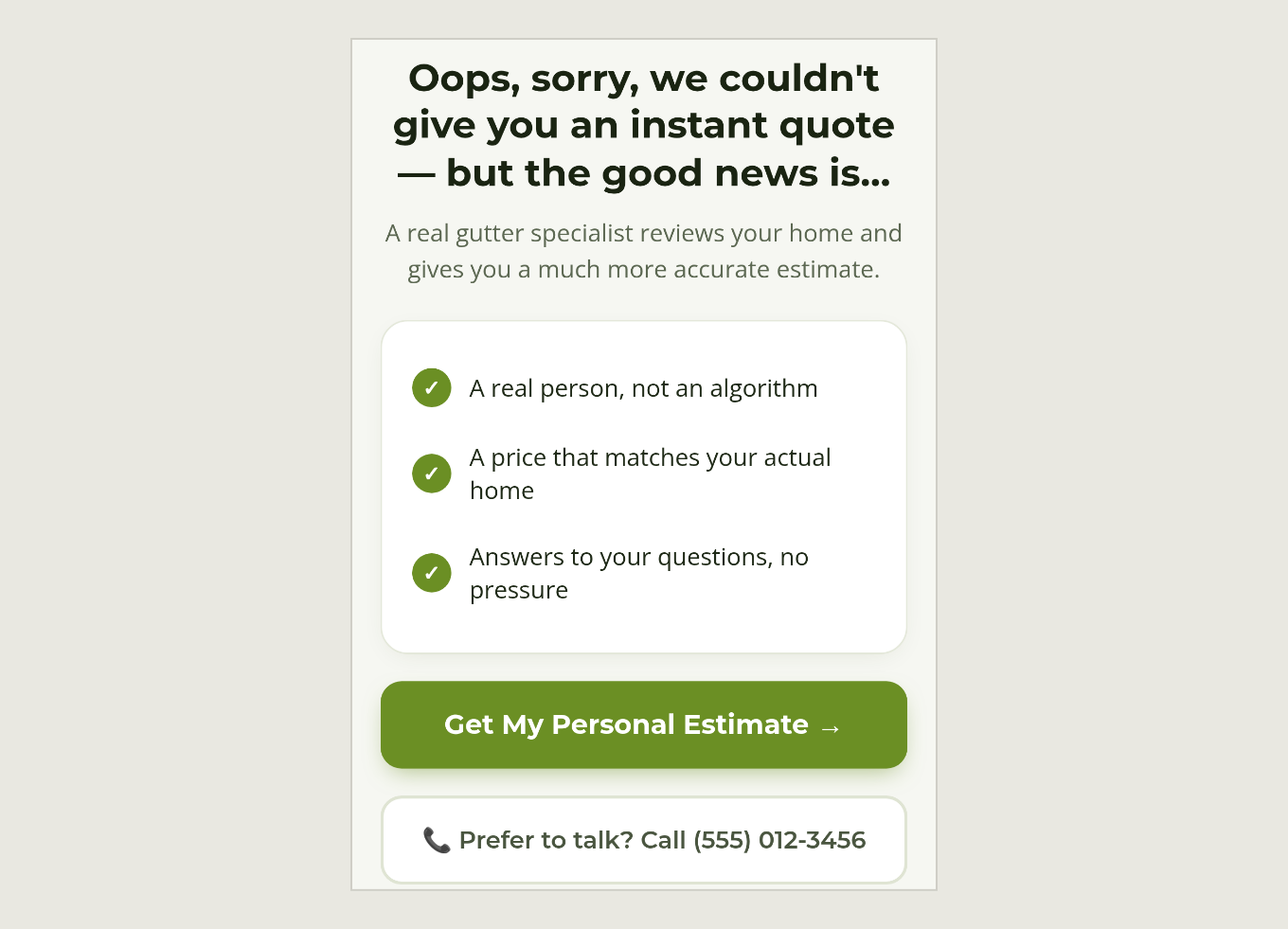
That is not a failure screen. It is a visitor with a good reason to be called back, and you already have their details.
“But I close better on the phone”
Fair. On a call you can steer someone to yes even when the price made them flinch. Two answers:
- The quote screen does the steering. It lists what the price includes, locks the price for 7 days and puts an Accept and Schedule button right under it.
- A “no” is not the end. You now have a name, a number and an email for someone who might not have called. You can follow up with a discount, negotiate, or run an automatic series of messages. Any follow-up should go only to people who agreed to hear from you; rules vary, so check yours.
The result
+30% leads
more leads from the same number of clicks, about 23% less per lead on the same ad spend
The result
30% more leads from the same number of clicks.
About 23% less per lead on the same ad spend.
What stays human: the owner sets the prices and calls the leads that need a person.
What it changes for you
- More of the visitors you already pay for become leads.
- Cheaper leads from the same ad spend, and an offer that stands out from a competitor’s “free quote.”
- Visitors who only want a price can get one without calling.
- A lead even when a home is too unusual to price.
- Contact details in hand for the people who say no, so you can follow up.
Same idea as Day 2, for a different trade. Day 6 picks up the people who leave before they give their details.
Want this for your business? Book a 30-minute consult.
What is the one thing you ask before you quote a job?
Steal this
Want to build this yourself? Here’s how it was built, in plain words. The idea works for any service whose price comes from a few facts about the job.
| The piece | What it does |
|---|---|
| Claude Code | Builds the price page and the pricing logic behind it |
| An AI model | Learns from your past jobs, what you quoted and what each job really took, and steers the price when the answers are unclear |
| Pricing rules, written as code | Turn how you price a job into math, and flag the jobs that need a person |
| A property-data service (BatchData is one) | Pulls details like size and roof style from public records so the customer only confirms |
| Satellite imagery and maps | Shows the house from above and checks the address |
| A database | Stores every quote and every lead |
| A booking calendar | Lets the customer accept and pick a time |
| Your CRM, text and email | Sends the quote and runs follow-up messages |
| Your ad platform’s tracking | Shows leads per click and cost per lead, so you can see the lift |
| A small server | Runs the whole thing |
Prefer not to build it? Have us do it for you.
Is your business in the same spot?
In 30 minutes we'll look at your version of this problem and how an AI system could handle it for you.
Book an AI opportunity audit, $249