
Saturday, 2:14 PM. The office is closed. An AI answers. 45% get what they need to make a buying decision. The rest leave a clear voicemail.
For businesses that miss calls during the day, after hours or on closed days: dumpster rental, towing, septic, HVAC, roofing, plumbing. An AI answers the phone and takes a very clear message. Where there is a price to give, it reads the price for the caller’s ZIP, answers questions like what can go in the dumpster and points to online ordering. Where there is not, as with roofing or plumbing, it answers questions about availability and can book an appointment.
An example business with the details changed. The calls are sample calls. The names, prices, hours, ordering page and saved note are examples. The routing screen is a real setting.
The business
It is Saturday, 2:14 PM. The office closed on Friday at 4.
A homeowner is clearing out a garage and needs a dumpster. Before they order, they want two answers: the price, and whether the old tires in the corner can go in it.
They call. It rings, and then there is a beep.
Some callers leave a message. Others hang up and try the next company on their list.
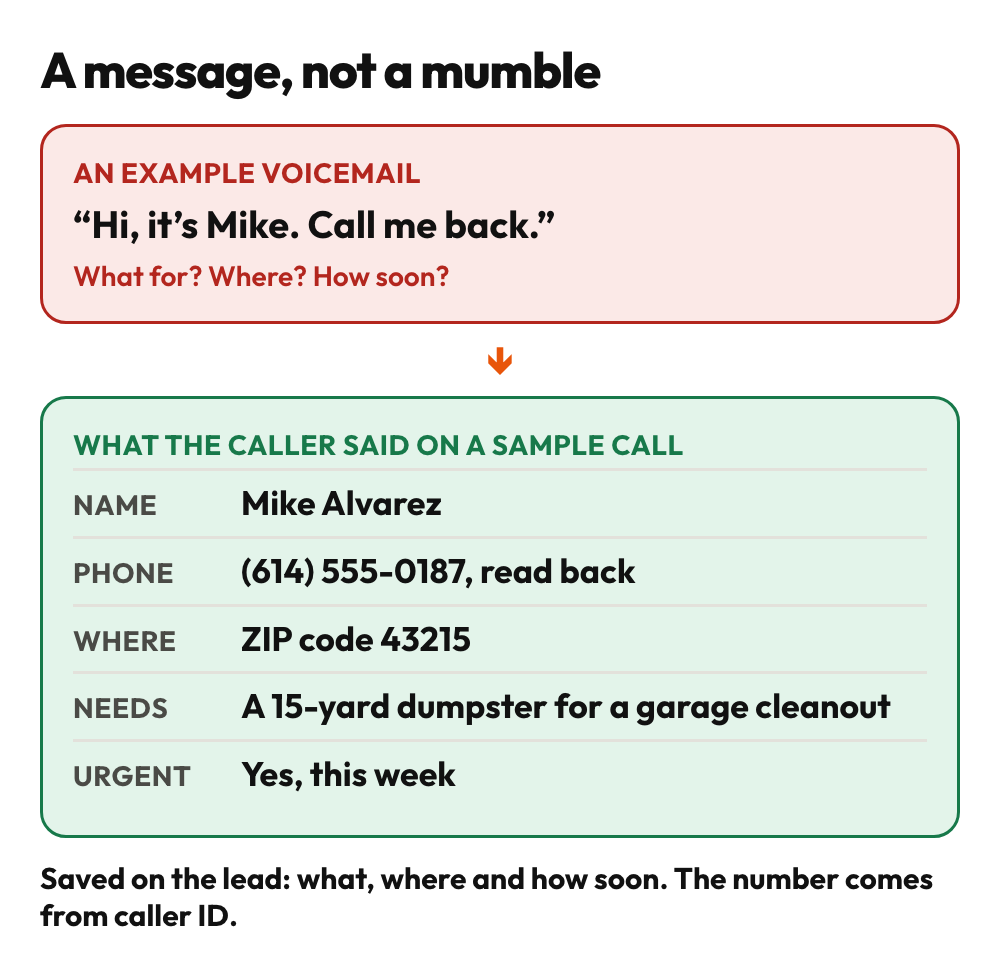
On Monday, the office plays back what was left. “Hi, it’s Mike. Call me back.” No reason, no town, no size, no hurry. The first call back starts with “What was this about?”
Same Saturday, new phone.
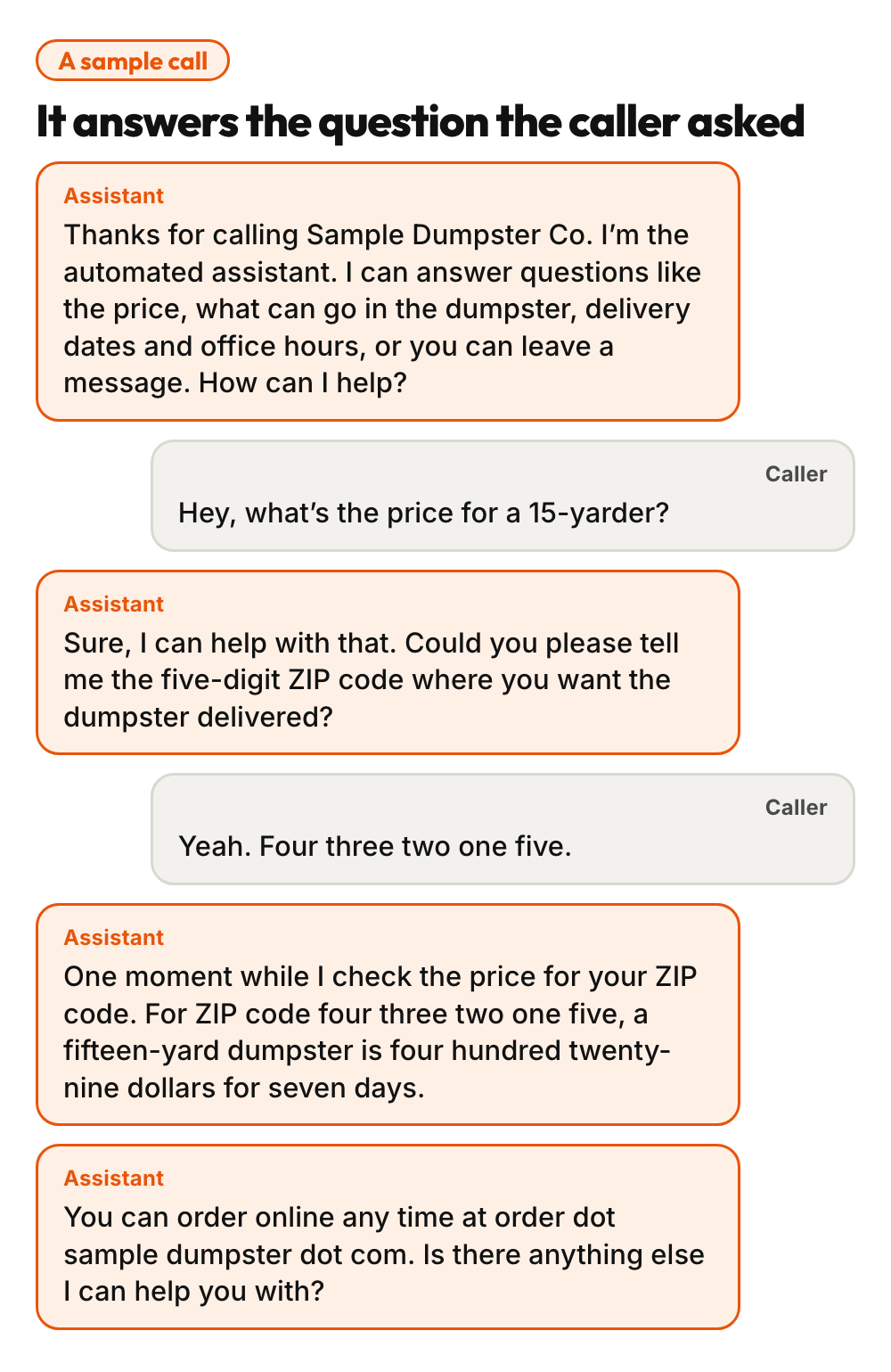
The phone is answered: “Thanks for calling. I’m the automated assistant. I can answer questions like the price, what can go in the dumpster, delivery dates and office hours, or you can leave a message.”
They ask: “Hey, what’s the price for a 15-yarder?” The assistant asks for their ZIP code, looks up the price in the company’s own system and reads it out, then says they can order online whenever they like.
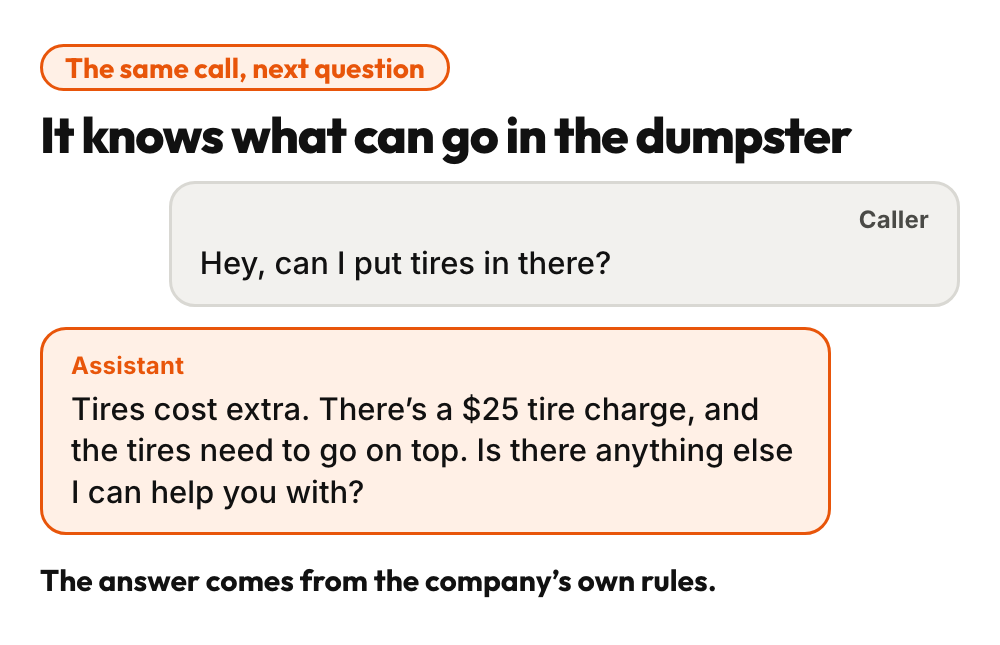
Then the second question: “Hey, can I put tires in there?” The assistant answers from the company’s own rules: tires carry a $25 charge, and they go on top.
Two questions, two answers, and the office is still closed.
On Monday, the office may have an online order, or a message that says what the caller needs.
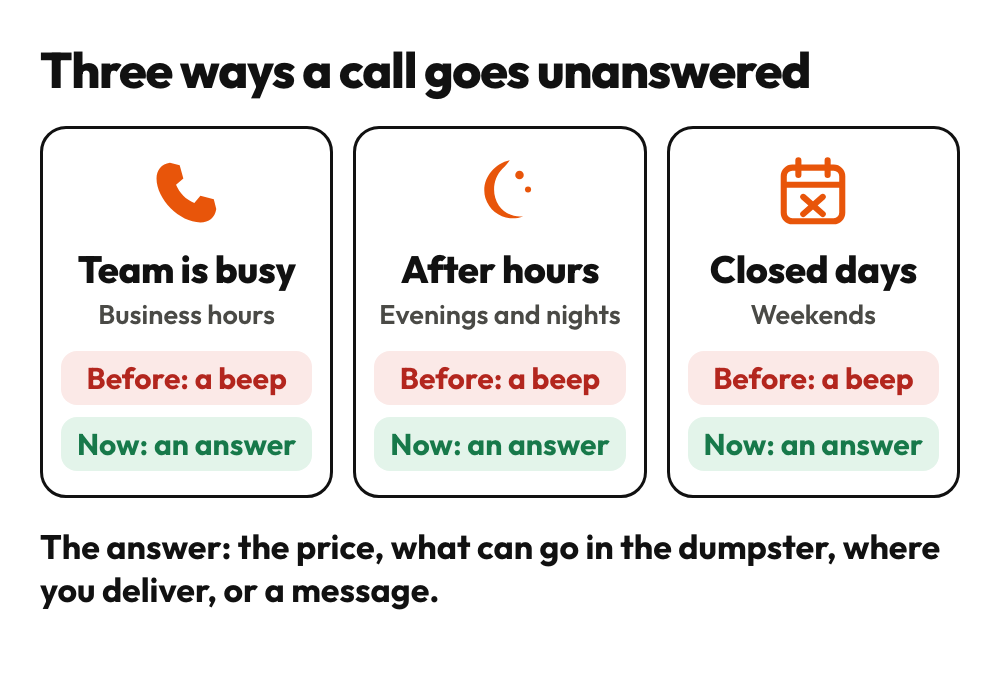
The short version. A dumpster company can lose a call three ways: the team is busy, it is after hours, or it is a closed day. Each one ends at a voicemail box. Some callers do not leave a message, and the messages that are left can hold a name and a number and little else, so the office returns them after the weekend. We built an AI call agent for this problem. When no one picks up, it answers, says it is an automated assistant, answers questions about price, what can go in the dumpster, delivery area and hours, points the caller to online ordering and, when a person is needed, takes a message that says what the caller needs, where and how soon. The price is not a script: for a ZIP code, the assistant looks up the price in the company’s own system and reads it out. The rules, like the charge for tires, come from a document the company wrote once. We see 45% of callers get what they need to make a buying decision. The rest leave a clear message.
This is for you if
- Calls go to voicemail when your team is busy, after hours or on closed days.
- Callers ask small questions: the price, what they can put in, whether you deliver to their town, when you are open.
- You return voicemails after the weekend and often do not know what they were about.
- Your online ordering is open all day and night, but your phone is not.
- You cannot quote a price over the phone (roofing, plumbing), but callers still need to know when you can come and what happens next.
The business
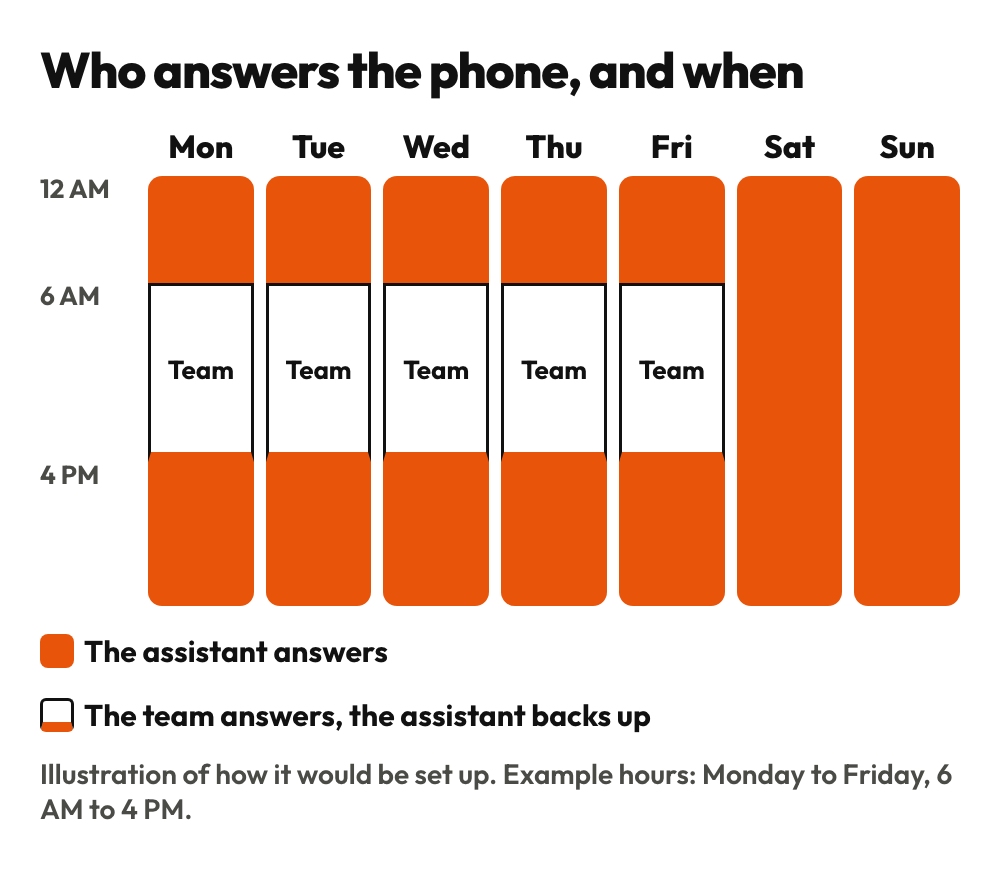
A dumpster rental company. It delivers roll-off dumpsters across a metro area and takes orders online and by phone. In this example the office is open Monday to Friday, 6 AM to 4 PM. Prices depend on the ZIP code.
The problem
What the beep costs
The phone stops helping the moment no one can pick up.
- The beep can end the call. Some callers do not leave a voicemail. They call the next company.
- The messages that are left can say little. A name and a number, but not what the caller needs, where, or how soon.
- Saturday questions wait until Monday. A caller who gets no answers on Saturday may order from someone else.
- The questions are small. The price, whether tires can go in, whether you deliver to their town, whether you are open. A caller wants those answered on the spot.
What we built
What was built: a phone that answers when no one can
It answers instead of beeping
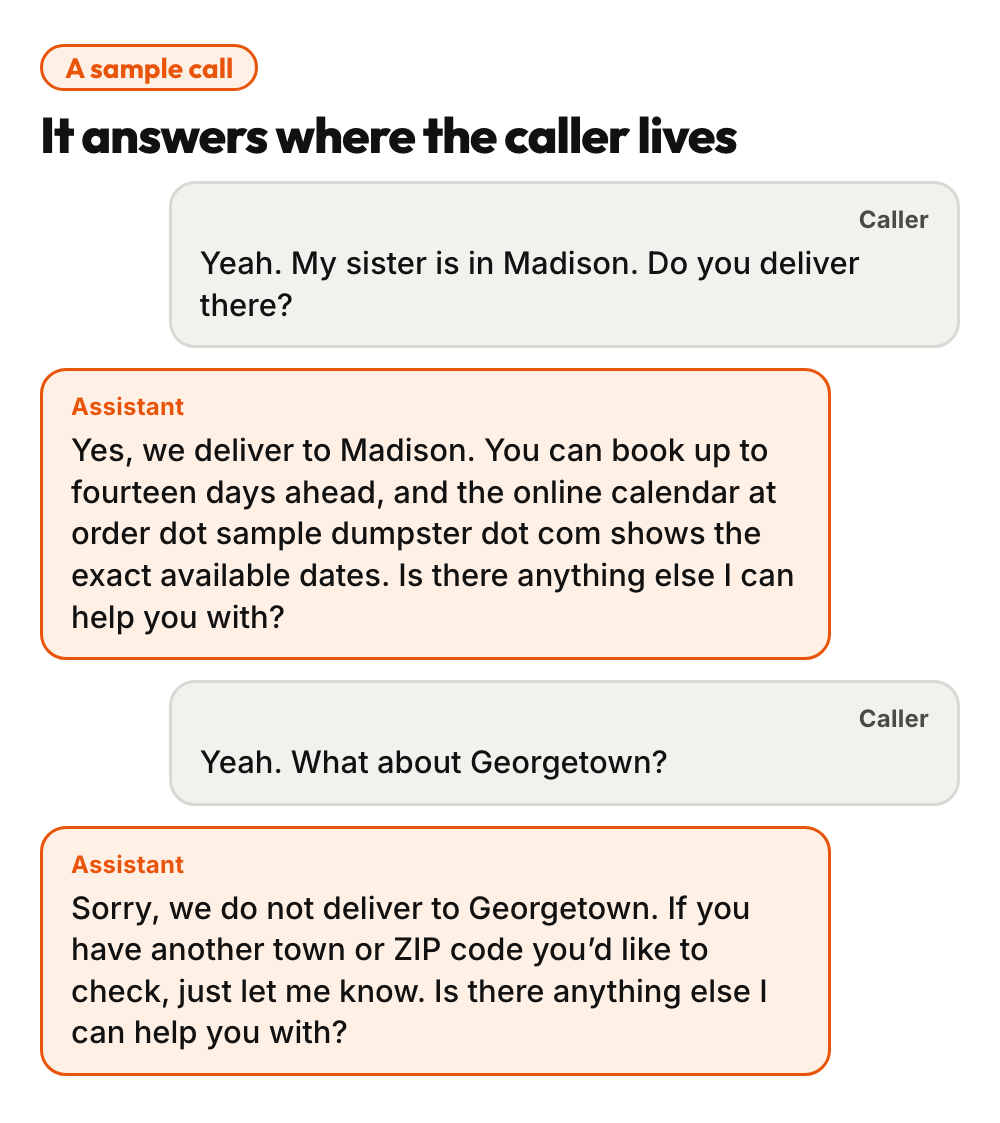
When no one picks up, the AI picks up. It says up front that it is an automated assistant, and what it can help with: the price, what can go in the dumpster, delivery dates and office hours, or leaving a message. Then it answers the way a front desk would. Here is a sample call.
The price comes from your system, not a script
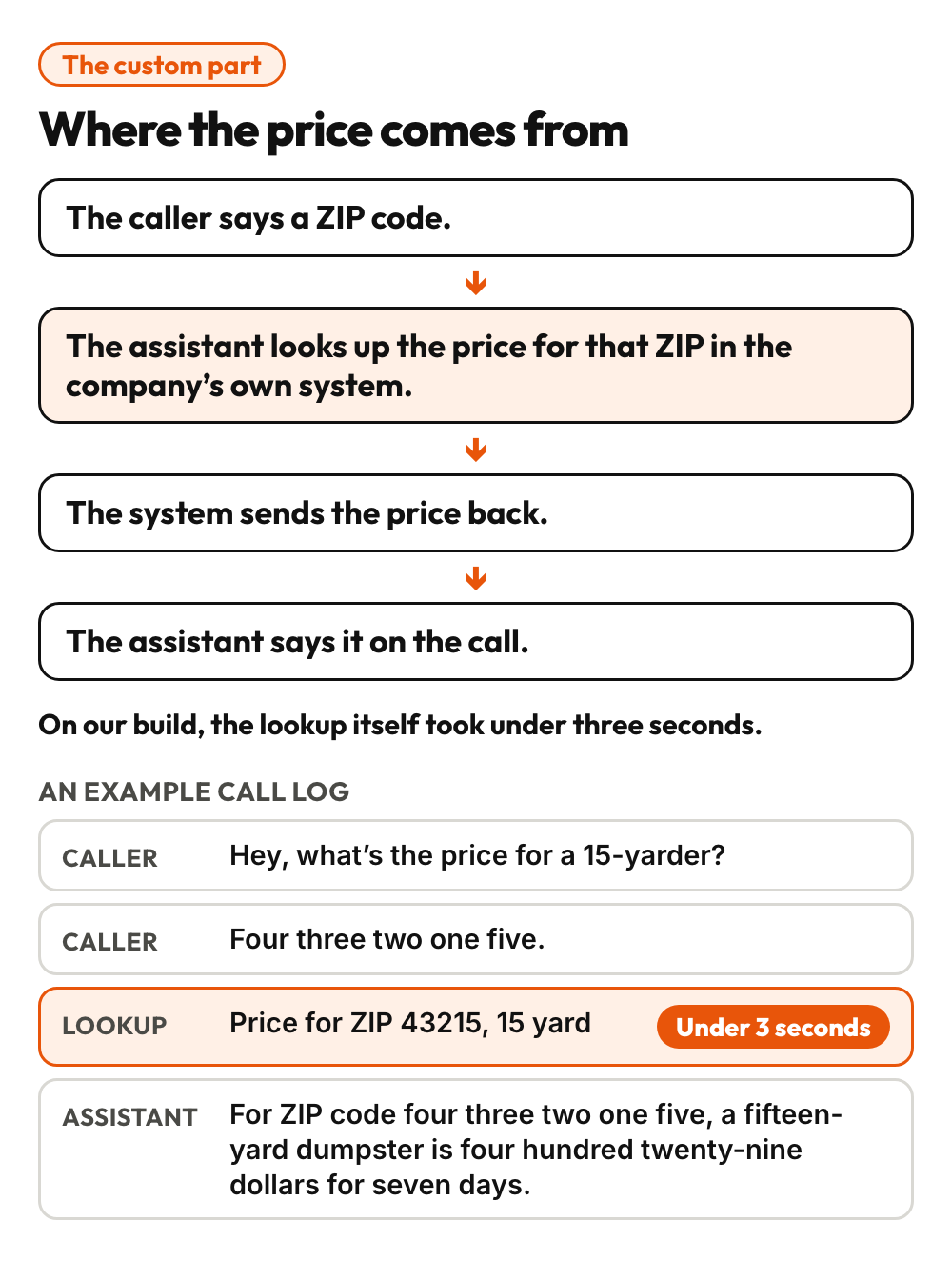
This is the custom part. A standard AI phone assistant knows what you write down in advance: a document with your hours, your delivery area and your policies. That document is part of this build too. But prices depend on the ZIP code and get updated, so a script goes stale. We added a custom piece. When a caller asks for a price, the assistant asks for their ZIP code, looks up the price for that ZIP in the company’s own system, and reads out what comes back. On our build, the lookup itself took under three seconds.
It knows what can go in the dumpster
Before they order, callers wonder what they can put in. Tires, a couch, paint. The answers are the rules and extra charges your front desk already gives out, written down once in the assistant’s knowledge base. It answers in the company’s words. In this example, a caller asks about tires and hears that tires carry a $25 charge and go on top.
No price to give? Same setup
Many businesses cannot give a price on the phone. A roofing company usually cannot, and a plumber may not either. Where there is no price to give, the same assistant answers questions about availability, can book an appointment, and takes a very clear message. The price lookup is the extra when your business has one.
It answers where the caller lives
Do you deliver to my town? How far ahead can I book? The assistant answers on the call, points to the online calendar for the exact dates, and says plainly when a town is outside the delivery area.
Pointed to online ordering
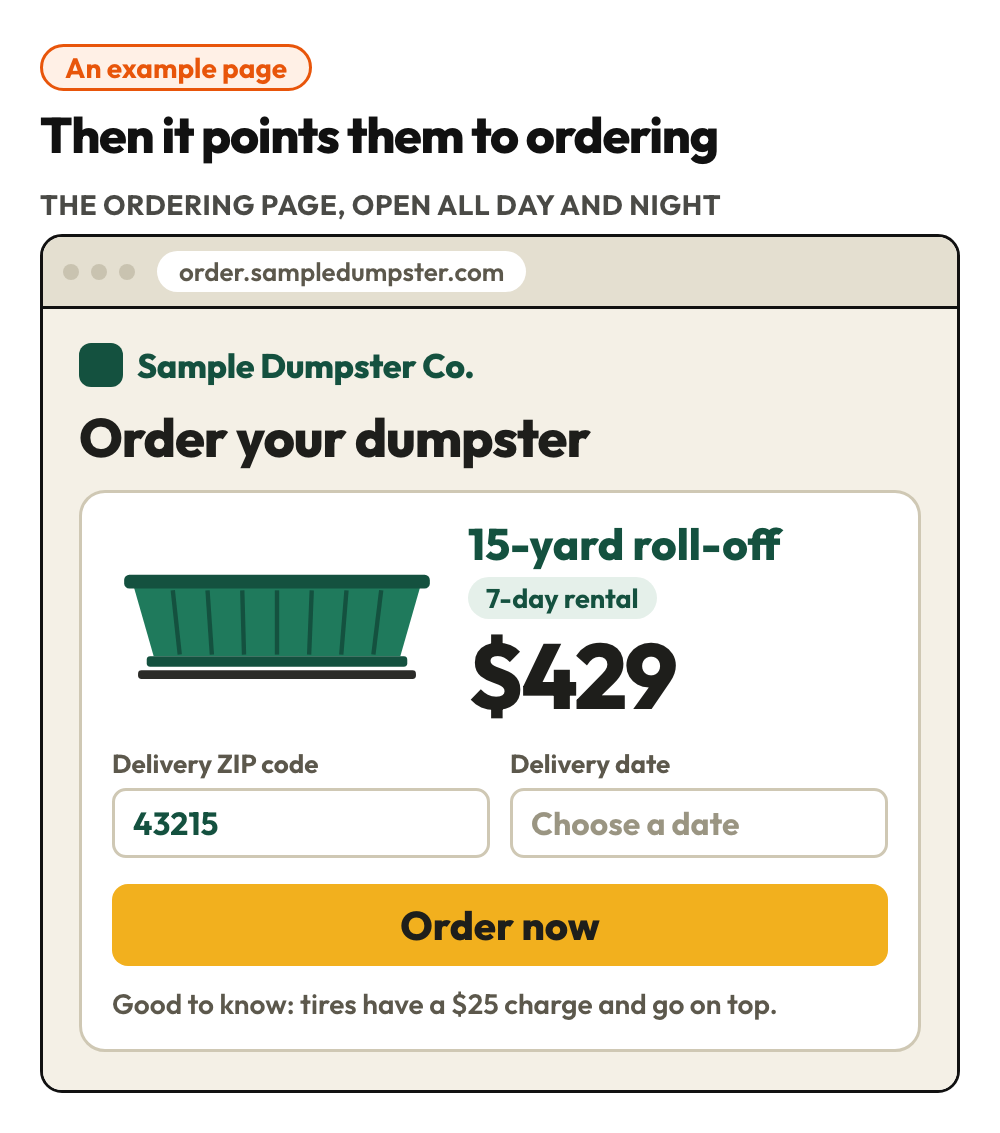
The assistant tells callers they can order online. The ordering page is open all day and night, so a caller who has the price and the delivery answer can go and order.
A message, not a mumble
When a caller needs a person, the assistant takes a message. It asks for the name and number and reads the number back, then asks where the job is, what the caller needs and whether it is urgent. The lead keeps what was needed, where and how soon, and the number comes from caller ID. In our experience, the messages are much easier for the front desk to follow up on.
Each call is logged
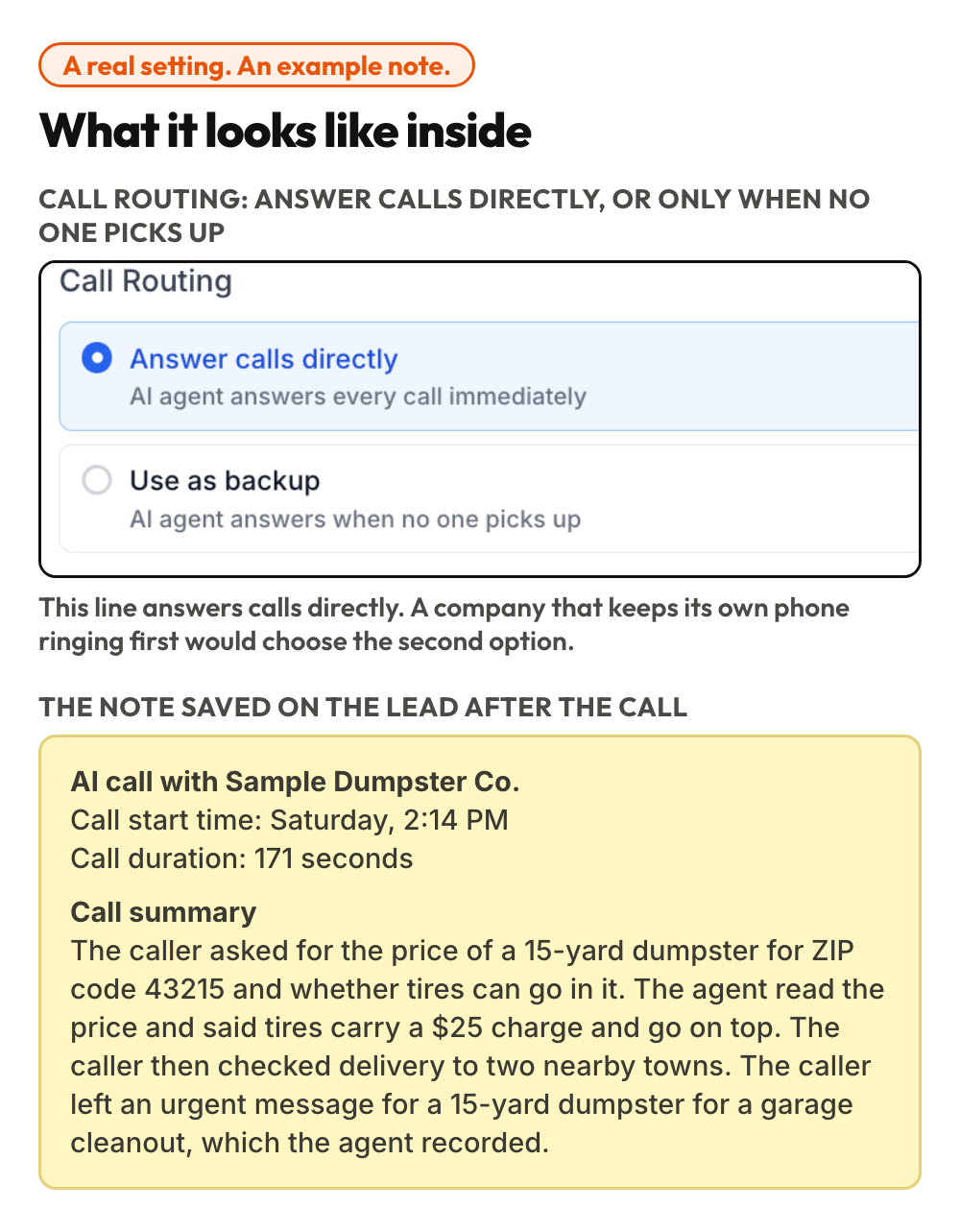
The caller appears as a lead in the inbox, and each call adds a note with the time, the length and a summary of what was asked and what was recorded. The office does not have to guess.
Three missed calls, one setup
The same assistant covers the call the team missed during business hours, the call that comes in after hours, and the call on a closed day. Set to back up the team, it answers when no one picks up, so the team keeps the calls it can take, and the calls it cannot take get an answer. A company can also let it answer all calls. The routing screen above is set that way.
Why not a better voicemail greeting?
A better greeting still ends at a beep. My opinion: a phone that answers beats a phone that apologizes. In Day 1 and Day 7, an AI reviewed calls that had already happened. In Day 13, the price moved onto the page. Here, the AI answers while the caller is still on the line, and the price comes with it.
The result
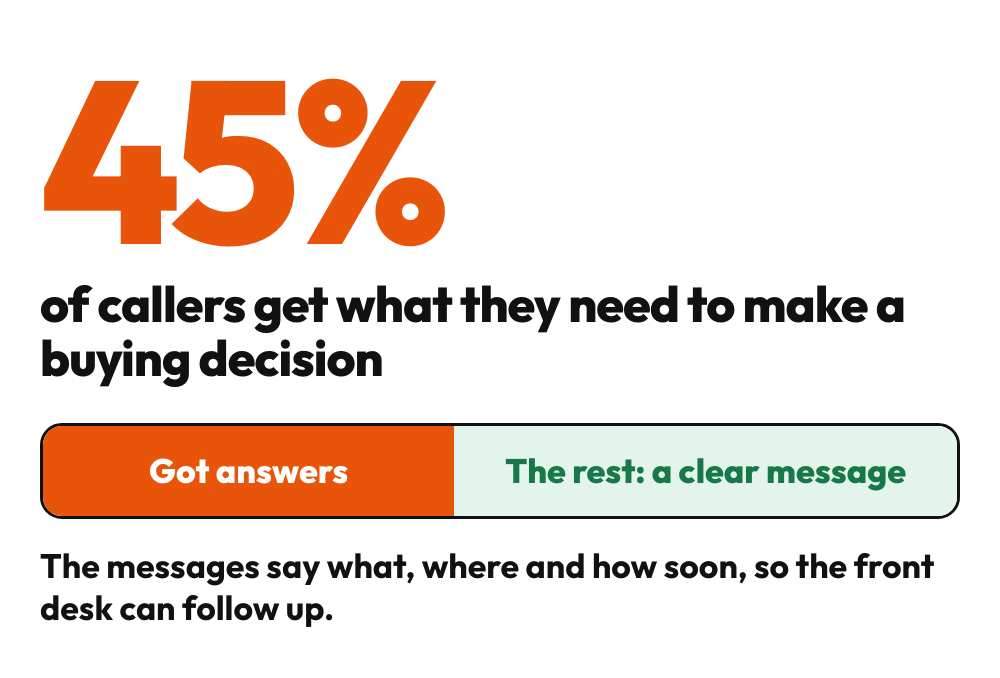
45%
of callers get what they need to make a buying decision. The rest leave a clear message.
What changes
45% of callers get what they need to make a buying decision. The rest leave a clear message.
| Before | Now | |
|---|---|---|
| A call no one picks up | A beep and a voicemail box | The assistant answers and helps |
| A price question | Wait for the office to call back | The price for the caller’s ZIP, read out on the call |
| What can go in | The caller guesses, or waits for the office to call back | Answered on the call, from the company’s own rules |
| Where you deliver | The caller guesses, or calls another company | Answered on the call |
| Ordering | The caller waits for a person | Pointed to online ordering, open all day and night |
| A message | A name and a number | What the caller needs, where and how soon, with the number from caller ID |
| The weekend | Voicemails returned afterwards, reason unknown | Leads and call notes waiting on Monday |
What stays human: a person still decides what to do about an urgent job and makes the call back.
Want this for your business? Book a 30-minute consult.
What does a caller hear when no one picks up your phone?
Steal this
Want to build this yourself? Here’s how it was built, in plain words. The idea fits businesses that take calls. Where you have prices, hours and delivery areas to share, the assistant reads them out. Where you do not, it answers questions about availability, can book appointments and takes a clear message.
| The piece | What it does |
|---|---|
| Claude Code | Builds the custom price lookup and helps write the instructions the assistant follows |
| A business phone number | Where callers reach you. It can ring your team first and pass the call to the assistant when no one picks up |
| An AI voice agent (here, the Voice AI feature in GoHighLevel) | Answers the call, speaks naturally and follows the instructions |
| An AI model | Understands what the caller says, decides what to ask or say next, and calls the price lookup when it needs a price |
| A voice | A natural-sounding voice chosen for the business |
| Instructions | Say how it greets, what it may answer, how it takes a message and what it must not promise |
| A knowledge base | A document with your hours, delivery area, what can and cannot go in the dumpster, extra charges like tires, and common questions. This is the premade part |
| A custom action | Lets the assistant call the business’s own system in the middle of a call, with the ZIP code and size the caller gave |
| A price lookup on your own system | A small, read-only address that returns the price for a ZIP code and size. Protect it so only the assistant can use it |
| Call routing and hours | Choose whether the assistant answers all calls or only when no one picks up, and whether it runs all hours or on a schedule you set. The line in our screenshot answers directly |
| A CRM | Shows the caller as a lead, with a note for each call: the time, the length and a summary |
| A summary email (optional) | Can send the team a short email after the call |
| An online ordering page | Where the assistant sends callers to order, open all day and night |
Prefer not to build it? Have us do it for you.
Is your business in the same spot?
In 30 minutes we'll look at your version of this problem and how an AI system could handle it for you.
Book an AI opportunity audit, $249